
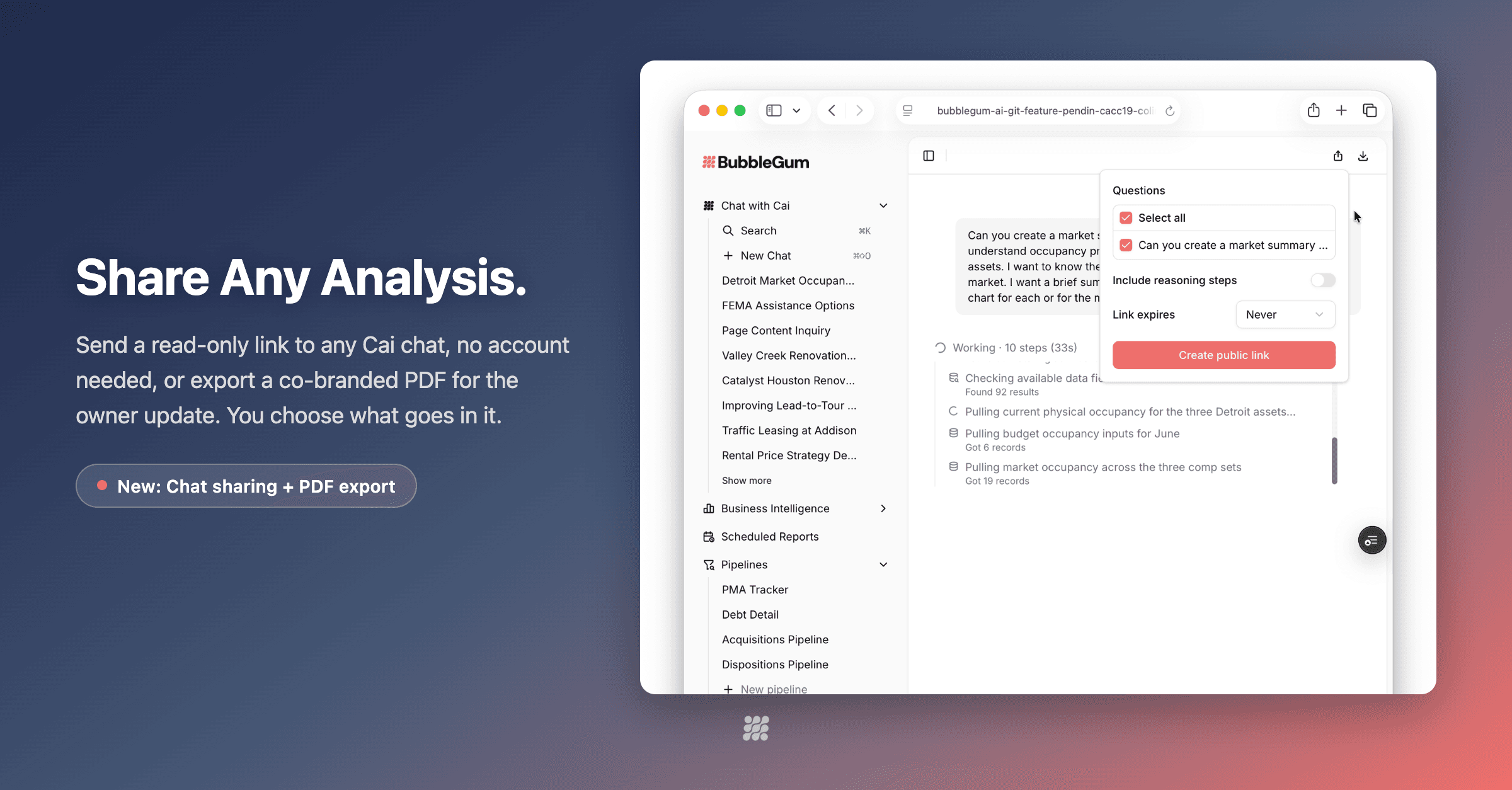
Shareable multifamily analysis is the ability to send a controlled, read-only link or co-branded PDF of an AI-generated portfolio analysis to owners, investors, or colleagues — without granting full platform access or emailing unrevokable spreadsheets.
The Friday scramble is familiar: an owner asks for “a quick update,” the analyst rebuilds a deck, three Excel versions collide in email, and Monday starts with “which file is current?” That is not a people problem. It is a delivery problem.
This post focuses on controlled external sharing — link expiration, question selection, branding, and raw-data boundaries — not a generic future of reporting essay. For the broader reporting shift, see the future of investor reporting and streamlining investor reports.
Why Owner Communication Breaks Mid-Cycle
Formal quarterly packages are necessary. They are not how ownership actually asks questions. Mid-cycle reality looks like:
- A partner wants occupancy vs budget before a board call tomorrow
- An LP asks why concessions spiked at one asset
- A regional wants a clean leave-behind after a site visit
- An outside colleague needs context without a BubbleGum seat
If the only answers are “wait for the quarterly” or “I’ll paste into a new workbook,” you train owners to work around you. Owners and asset managers need a faster, safer channel.
What “Controlled Share” Means (Not Just a Public URL)
A share button is only as good as the controls behind it. The standard operators should demand:
- Read-only link anyone can open — no account required for the recipient
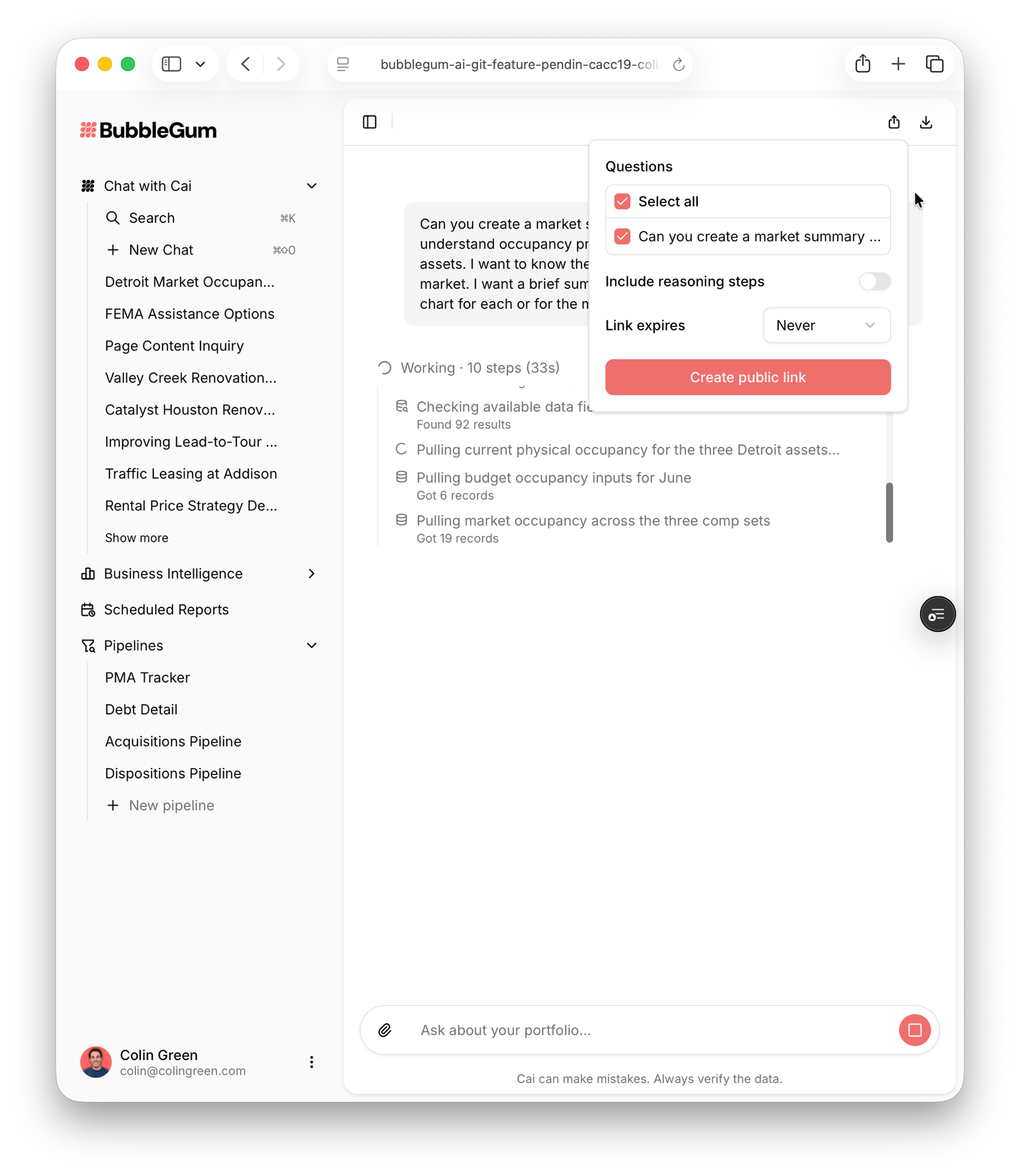
- Question selection — send the analysis, not the entire chat history by accident
- Reasoning visibility toggle — show or hide how Cai reasoned, depending on audience
- Expiration and revoke — time-box access; pull it when the meeting ends
- View counts — know whether the pack was actually opened
- Branded pages and PDFs — your firm’s identity, not a generic export
- Raw downloads locked — anonymous links do not become a data dump channel
Share Link vs Co-Branded PDF: When to Use Each
| Format | Best for | Watch-outs |
|---|---|---|
| Read-only share link | Fast owner Q&A, partner updates, internal review | Set expiration; revoke after use |
| Co-branded PDF | Leave-behinds, IC attachments, email archives | Static once exported; version intentionally |
| Excel pack | When the recipient must model further | Prefer formula-driven live data over paste dumps |
| Full quarterly book | Formal LP / lender cycles | Still required; not the mid-cycle tool |
Excel still has a place — especially with formula-driven Excel on live portfolio data. For narrative updates, links and PDFs stop the version wars.
How Cai Share and Export Work
On Cai conversations, Share and Export cover the two delivery modes:
- Share: read-only link, no BubbleGum account required for the recipient; pick questions; control reasoning; expire, revoke, and check views
- Export: polished PDF with charts and tables, co-branded for owner updates or leave-behinds
- Safety: shared pages and PDFs carry your branding; raw data downloads stay locked to logged-in users
Analysis still rests on validated computation and data traceability — the same standards that make Cai defensible in the first place. You are not emailing a black-box answer; you are packaging an auditable analysis for the right audience.
Try sharing a Cai analysis the way owners actually consume updates
Controlled links, branded PDFs, and portfolio data they can trust.
Schedule a DemoA Simple Operating Cadence
- Weekly: internal ops review in product (dashboards + Cai)
- As needed mid-cycle: share link for a specific owner question with 7–14 day expiration
- After site visits: co-branded PDF leave-behind
- Monthly or quarterly: formal pack process (still real; now less panicked)
Pair sharing with scheduled delivery when the same audience needs a recurring pulse — for example scheduled reports that now include real charts, not tables only.
Security and brand still matter at the firm level: see data security in multifamily BI for the broader control conversation.
Frequently Asked Questions
What is a shareable multifamily analysis link?
A shareable analysis link is a read-only URL to a specific AI conversation or analysis package that recipients can open without a platform account. Controls typically include which questions to include, whether to show reasoning, expiration, revoke, and view counts.
How is sharing different from emailing Excel owner packs?
Email attachments proliferate versions and cannot be revoked. A controlled share link stays one source of truth, can expire or be revoked, and keeps raw data downloads locked to logged-in users so sensitive extracts do not ride out on anonymous links.
What should a co-branded owner PDF include?
A co-branded owner PDF should carry firm branding, the selected analysis (charts and tables), and clear narrative on performance versus budget and market context — suitable as an owner update or leave-behind without rebuilding a deck from scratch.
Is it safe to share AI analysis with outside owners?
It can be when access is intentional: pick which questions go out, control reasoning visibility, set expiration, revoke when needed, brand the page or PDF, and keep raw downloads behind authentication. Safety is a product of controls, not hope.
How does this relate to traditional investor reporting?
Quarterly investor packages still matter for formal LP reporting. Share links and branded PDFs solve the continuous update problem — mid-quarter questions, site-visit leave-behinds, and owner follow-ups — without waiting for the next full reporting cycle.
How does Cai support owner and investor communication?
Cai can produce the analysis from validated portfolio data, then share a read-only link or export a co-branded PDF with charts and tables. Shared pages carry your branding while raw data downloads remain limited to logged-in users.
End the Friday owner-update scramble
Controlled share links and co-branded PDFs on validated portfolio analysis.
Schedule a Demo